MATLAB
MATLAB provides the MATLAB R2025a desktop environment in your browser, running on a Seneca compute node. It should be used for interactive MATLAB work or to run a script as a batch job. For the general launch workflow and resource selection guidance, see Interactive Apps.
Launching MATLAB
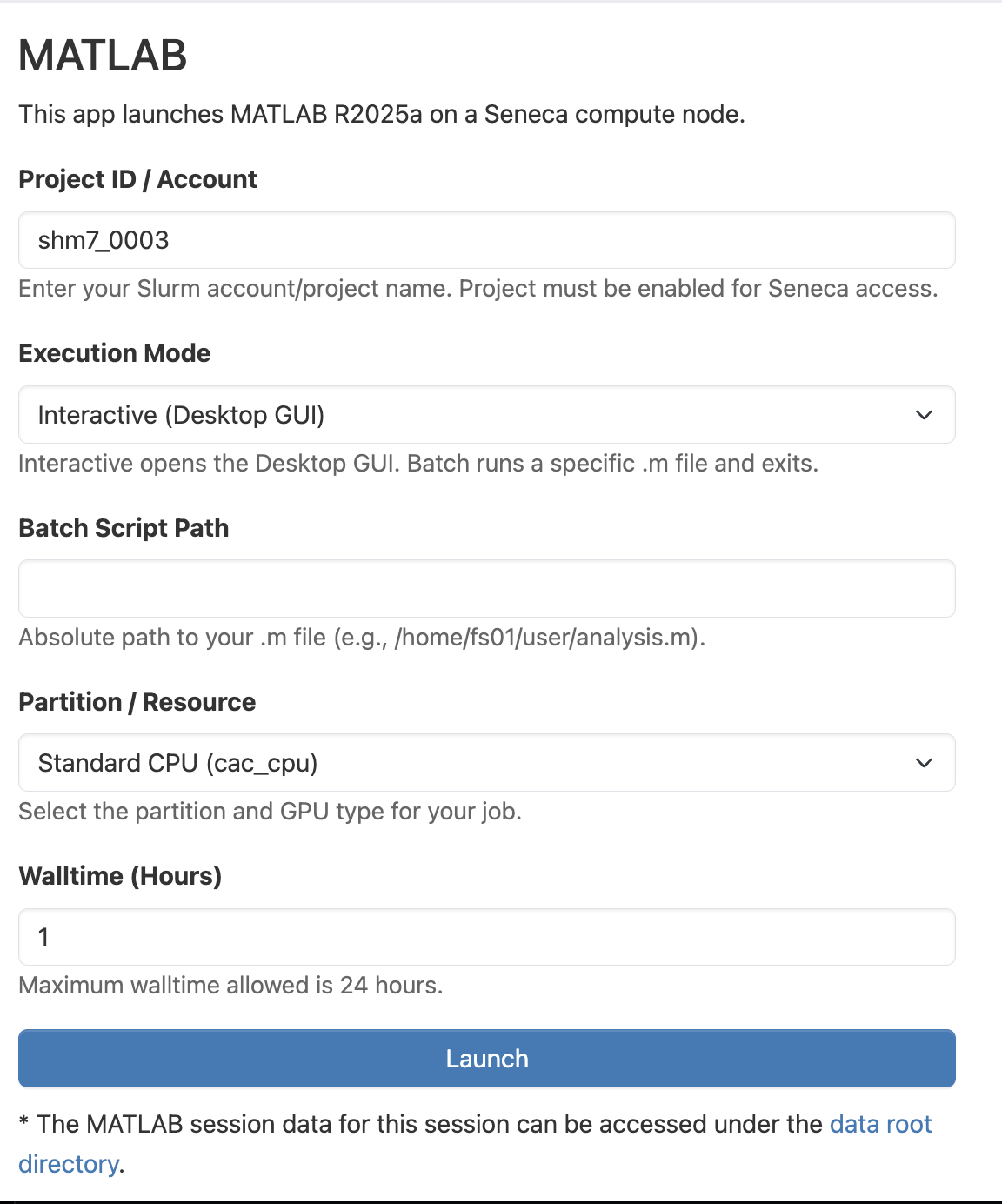
In the top navigation bar, click Interactive Apps and choose MATLAB. Fill out the resource form:
- Project ID / Account:your cac project name. The project must be enabled for Seneca access.
- Execution Mode:
Interactiveopens the desktop GUI;Batchruns a single.mfile and exits. - Batch Script Path: for batch mode, the absolute path to your
.mfile (e.g./home/fs01/<username>/analysis.m). - Partition: the partition and GPU type for your job. See Selecting Resources.
- Walltime (Hours): session length, up to 24 hours.
Click Launch, then Connect to MATLAB once the session is running.