JupyterLab
JupyterLab provides Jupyter notebooks, a terminal, and a file browser in a single interface, running on a Seneca compute node. It's used for interactive Python and Julia work. For the general launch workflow and resource selection guidance, see Interactive Apps.
Launching JupyterLab
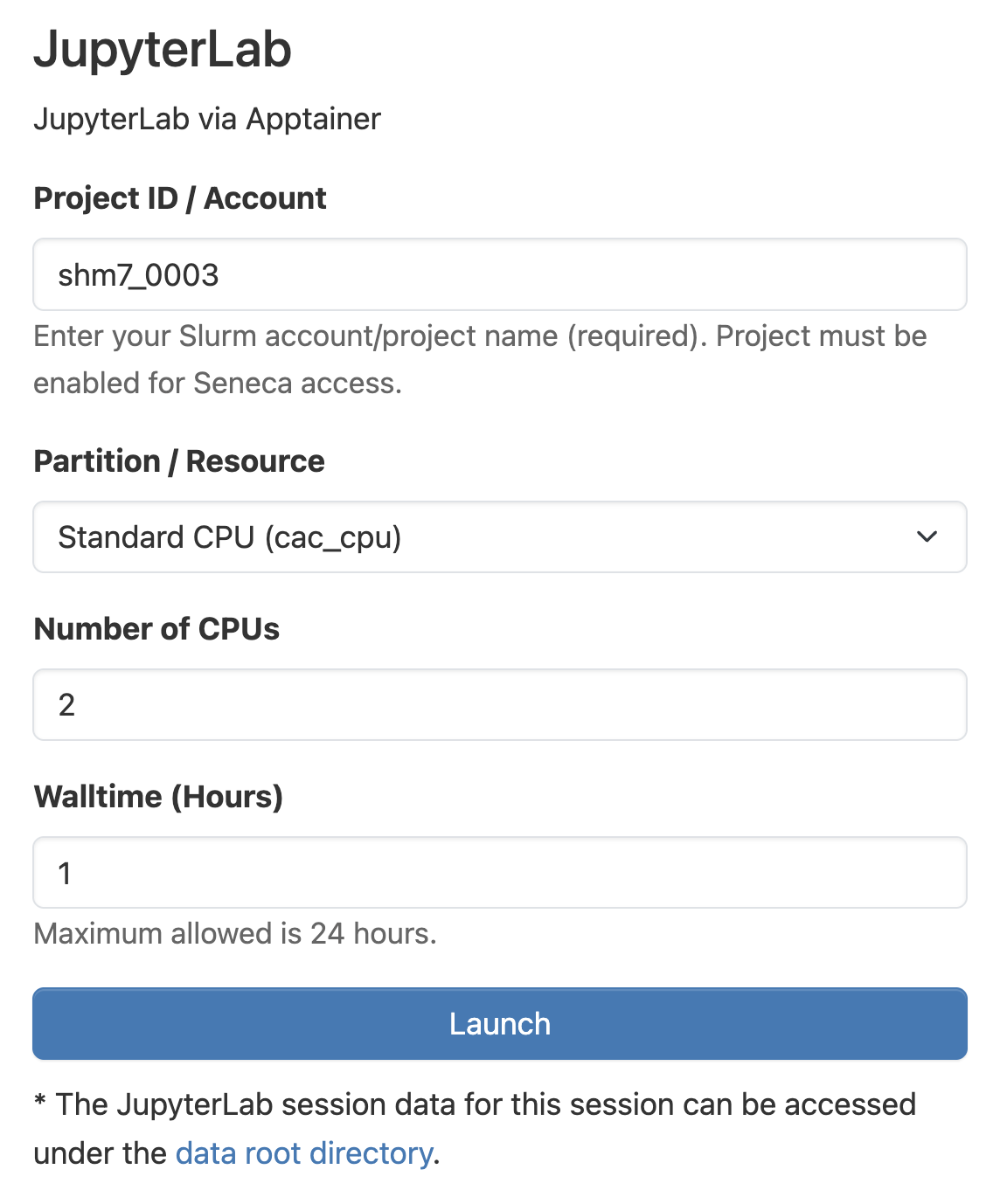
In the top navigation bar, click Interactive Apps and choose JupyterLab. Fill out the resource form:
- Project ID / Account: your CAC project name. The project must be enabled for Seneca access.
- Partition: see Selecting Resources.
- Number of CPUs: CPU cores allocated to your session.
- Walltime (Hours): session length, up to 24 hours.
Click Launch, then Connect to Jupyter once the session is running.